Store
cloud.put, cloud.get, cloud.list and cloud.delete read and write JSON under /kv/:space/:key. Values up to 64 KB, 500 keys per space. The first write claims the space for your account.
Pathlace Studio 0.5
Wire blocks for data, buttons, 2D and 3D games and a free cloud. Underneath, every program is a short text file you can read, diff and let an AI edit.
macOS, Windows and Linux. The browser edition runs on sample data and skips a few desktop features on purpose.
ui.button, ui.slider, ui.input and ui.toggle draw a widget and return its current value, so a click or a drag is just another input wire.http.getJson<T>.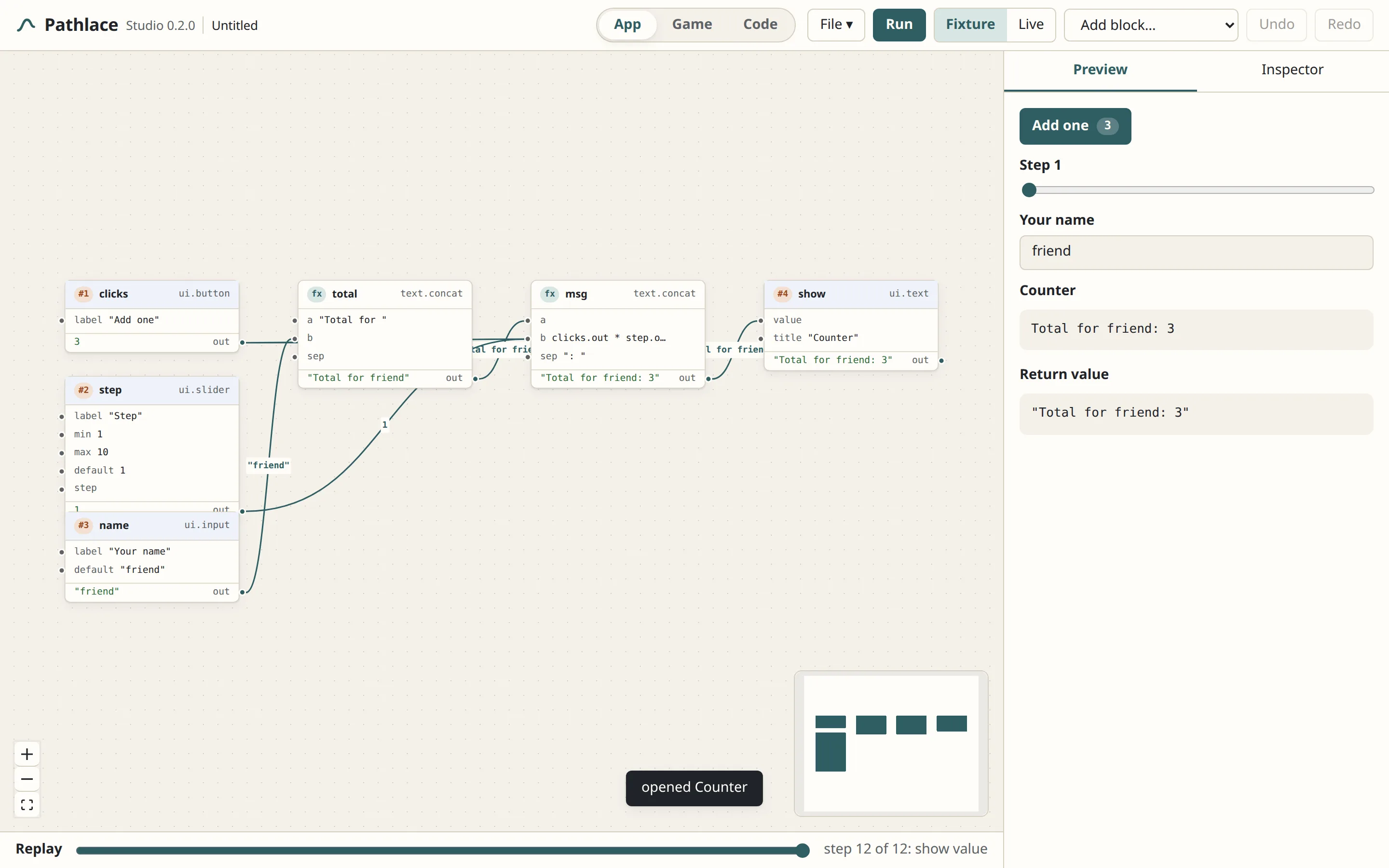
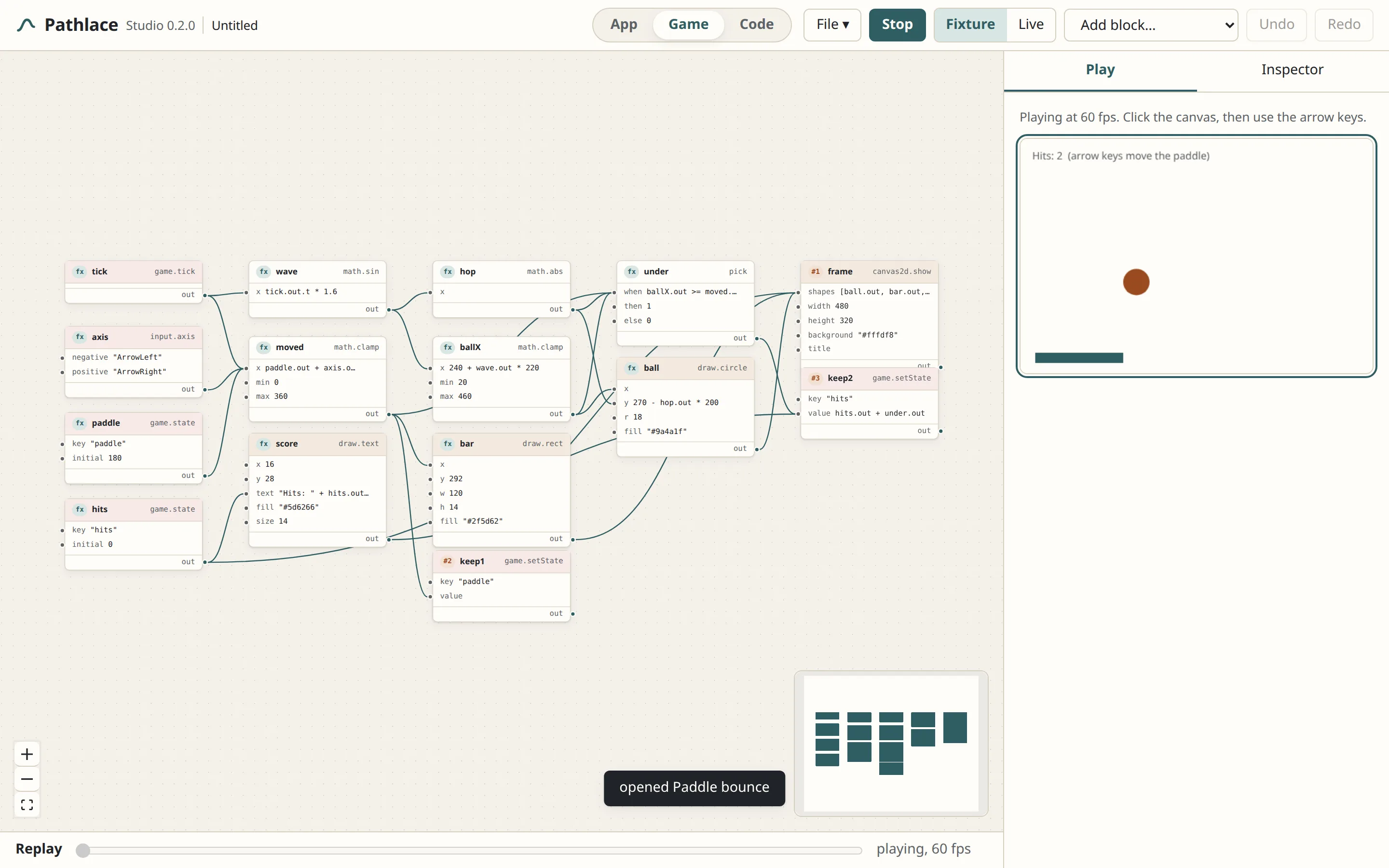
draw.rect, draw.circle, draw.text and canvas2d.show paint a canvas every frame. input.axis and input.pointer read keys and the mouse.mesh.box, mesh.sphere, mesh.ground and scene3d.show render a small three.js scene with a camera that orbits.game.tick gives time and delta, game.state and game.setState carry values between frames, pick is the if.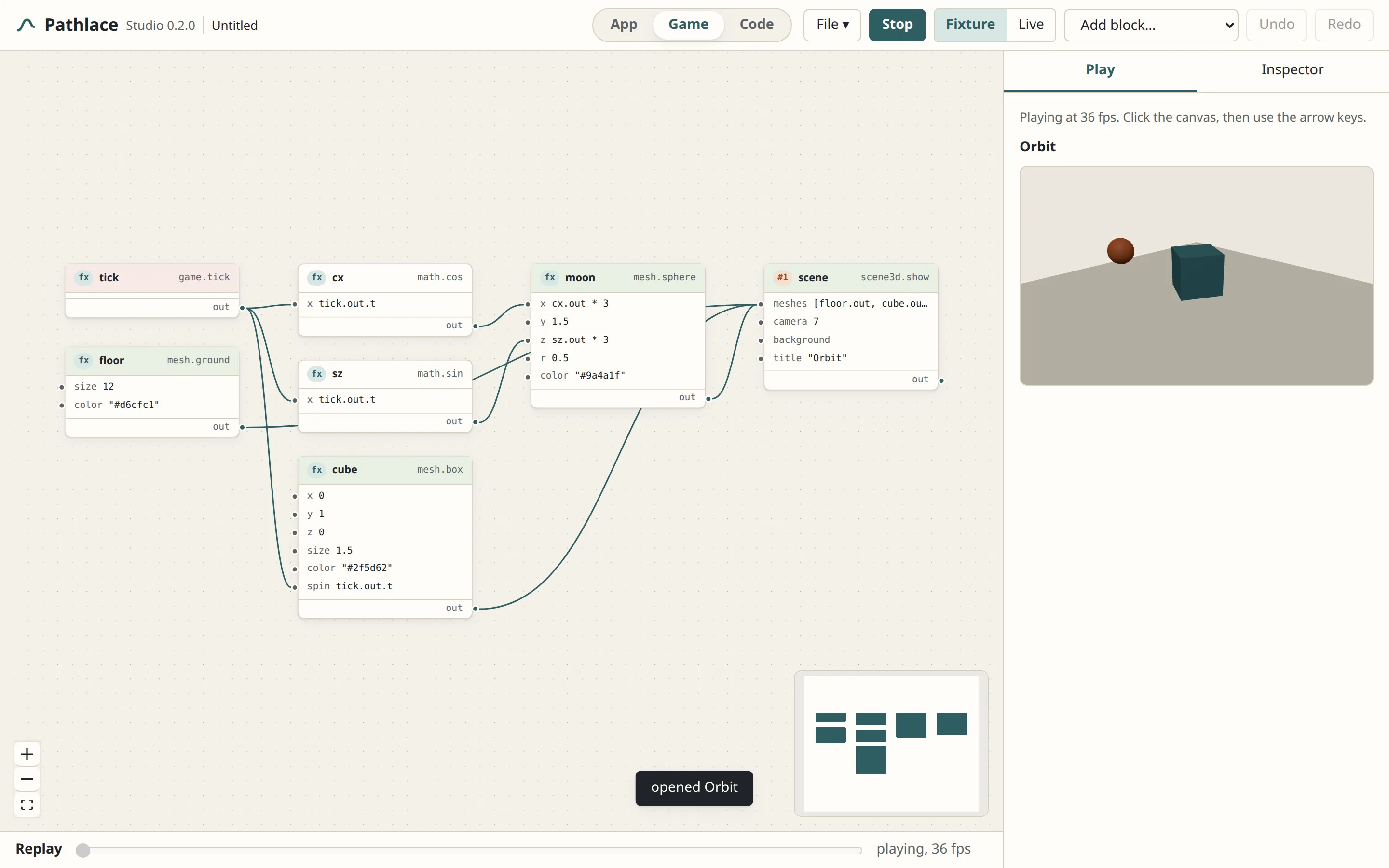
defineBlock. They get typed arguments, join the palette under Your blocks and save as blocks.js next to your program..html page that runs anywhere, or into a real app for Windows, macOS or Linux that opens by itself, no Studio needed. The plc command line does the same: plc build game.plc and plc pack game.plc --target windows-x64.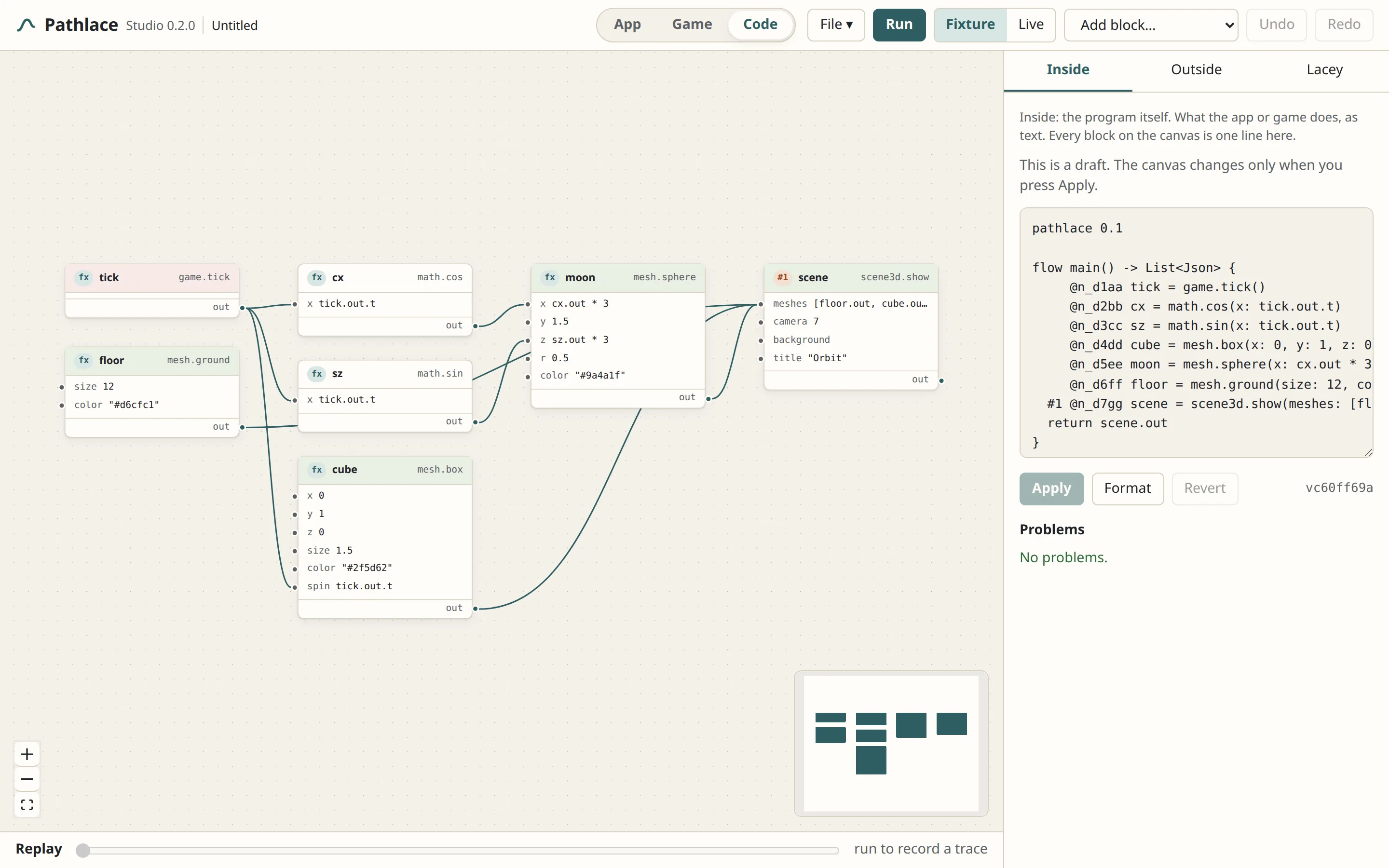
pathlace 0.1

flow main() -> Text {
  #1 @n_c1aa clicks = ui.button(label: "Add one")
  #2 @n_c2bb step = ui.slider(label: "Step", min: 1, max: 10, default: 1)
  #3 @n_c3cc name = ui.input(label: "Your name", default: "friend")
     @n_c4dd total = text.concat(a: "Total for ", b: name.out)
     @n_c5ee msg = text.concat(a: total.out, b: clicks.out * step.out, sep: ": ")
  #4 @n_c6ff show = ui.text(value: msg.out, title: "Counter")
  return msg.out
}#1, #2 mark actions that run in order. A line without a number is pure and runs when something needs it.
@n_c1aa is a permanent id. Rename a block, move it, or let Lacey rewrite half the program, and the wires still hold because they point at ids, not names.
Box positions are kept in a separate layout file, so moving things around never shows up in a diff of the program.
Pathlace Cloud is a small hosted service behind the cloud.* blocks. Sign up free, pick a space name, save values, list them, publish any program as a webhook URL, and share any program with a link that runs it in the browser. Data spaces, webhooks, files and saved programs belong to your account and follow you to any computer.
cloud.put, cloud.get, cloud.list and cloud.delete read and write JSON under /kv/:space/:key. Values up to 64 KB, 500 keys per space. The first write claims the space for your account.
Publish a program from Studio and get a URL. POST any JSON to it; webhook.payload hands the body to the program and the response carries the result, the views and the logs. Hooks run as you, so they can write to your spaces on behalf of anyone who calls them.
Sign up with an email and password in Studio or on the account page. Reads of public data need no account; storing anything does. Programs are private to you, and you decide per space whether its data is public or private.
Account → Share link gives a saved program a page at pathlace.com/p/… with App, Game and Code tabs. Visitors run it, read the code, and open their own copy in the Studio. The gallery lists what people shared.
Ask in plain words in the Code section: add a score, make the ball bounce, explain this. Lacey proposes new program text, the Studio checks it, and nothing changes until you press Apply.
Only the owner can write to a space, but public spaces are readable by anyone who knows the name. Flip a space to private on your account page when it holds something that should stay yours. Webhooks can carry a secret; every account has fair daily limits.
Installers are built for every release by the project's own CI and published on the public releases page; the same files are mirrored at pathlace.com/dl.
Universal .dmg for each chip. Open it, drag Pathlace Studio to Applications.
Get the .dmgA per-user setup .exe and an .msi for managed installs.
Get the installerThe AppImage runs anywhere; the packages install the usual way.
Get the package| Feature | Desktop | Browser edition |
|---|---|---|
| App, Game and Code sections, replay | Yes | Yes |
| GUI, 2D, 3D and cloud blocks | Yes | Yes |
| Live network data | Yes | Sample data only |
| Open and save .plc files on disk | Yes | No |
| Your own blocks (Outside) | Yes | Read-only catalog |
| Export a program as a web page (.html) | Yes | Yes |
| Build a runnable app (.exe, Linux binary, macOS .app) | Yes | No |
| Accounts, cloud saves, data spaces and webhooks | Yes | Yes |
| Publish a program as a webhook | Yes | No |
| Lacey edit operations | Yes | No |